Set a target zoom per website
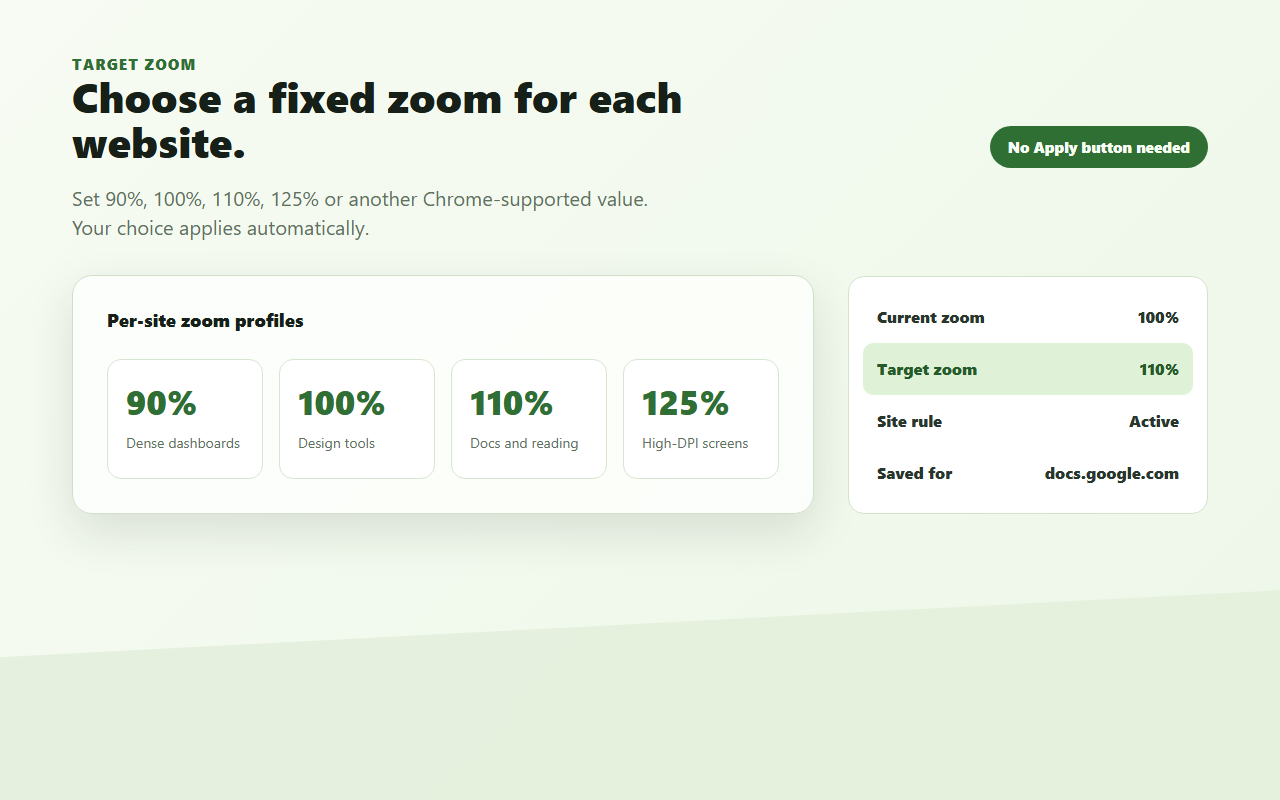
Choose supported Chrome zoom values such as 90%, 100%, 110%, 125%, or 150% for each site.
 Site Zoom Lock
Chrome extension for per-site page zoom
Site Zoom Lock locks Chrome page zoom per website and restores your chosen target zoom after refresh, navigation, tab switching, or accidental zoom changes.
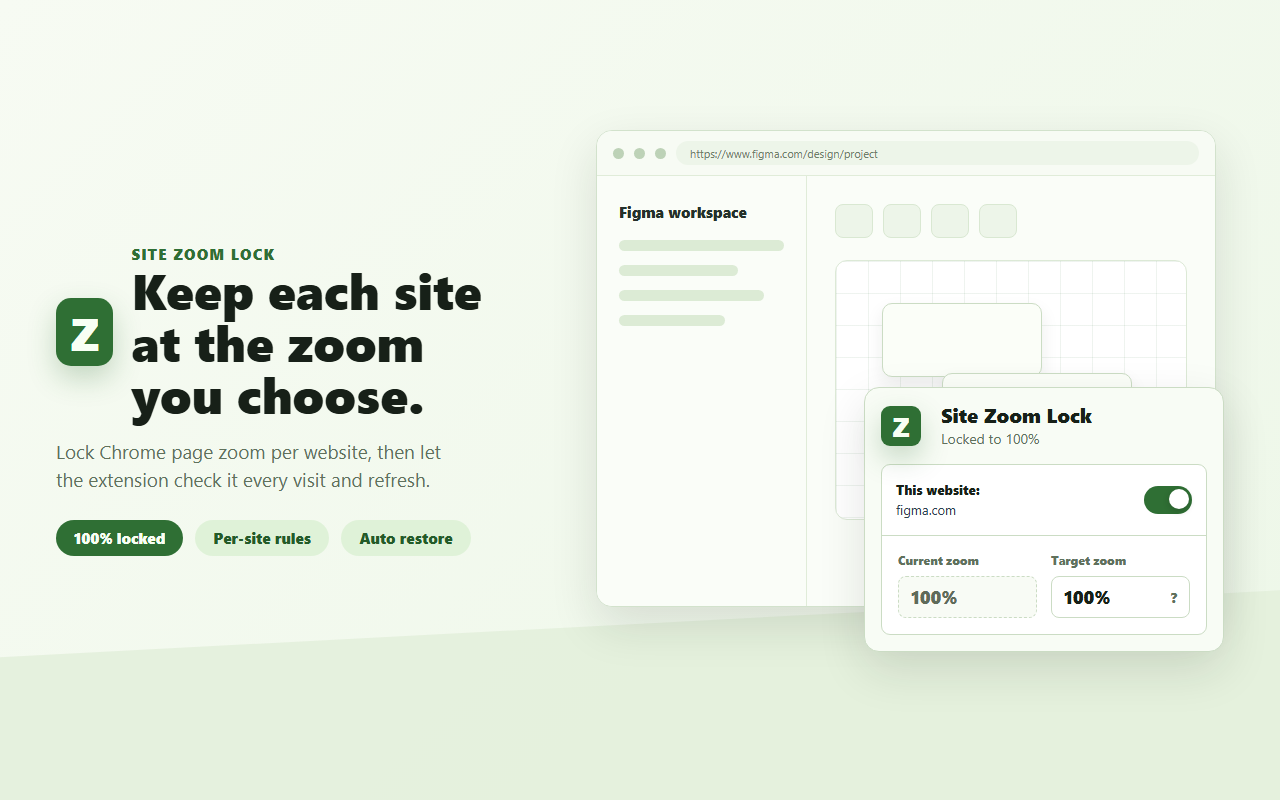
Built for browser-based work
Tools such as Figma, Stitch, web IDEs, dashboards, documentation systems, and admin consoles often have their own zoom behavior. When Chrome page zoom drifts to 90%, 110%, or another value, tables, panels, editors, and canvas tools can feel inconsistent.
Choose supported Chrome zoom values such as 90%, 100%, 110%, 125%, or 150% for each site.
Site Zoom Lock checks the active site after refresh, navigation, tab switching, and browser zoom changes.
Enable or disable zoom locking for the current website without affecting other saved rules.
Chrome-protected pages cannot be controlled by extensions, so the popup clearly explains when manual zoom is required.
Target zoom
Use 100% for canvas tools, 110% for documentation, or any supported Chrome zoom level that makes a specific website comfortable.
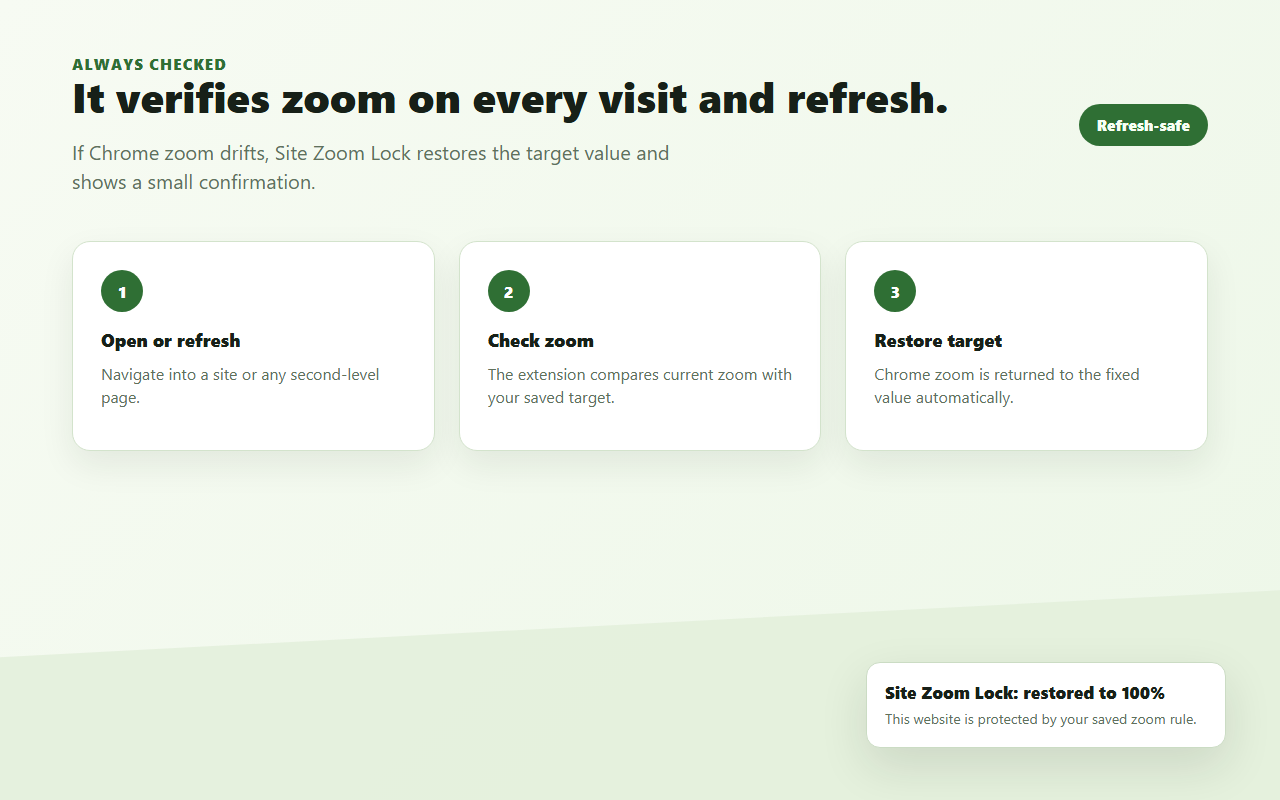
Automatic restore
When a site has a saved rule, Site Zoom Lock restores the target zoom after the browser or page changes it.
Site Zoom Lock controls Chrome page zoom. It does not control the internal canvas zoom of apps such as Figma, Stitch, design tools, or editors.
Privacy-first utility
The extension uses the current tab URL or domain only to match the active website with your local zoom rule.
Rules are stored locally with chrome.storage.local. Site Zoom Lock does not require an account, use analytics, run ads, track users, or send your zoom rules to any server.
Support development
International support payments are being prepared. The extension is free to use today, and support options will be added after payment setup is ready.
No payment link is active for English users yet.
Install Site Zoom Lock from the Chrome Web Store and set your first website rule in seconds.
Install from Chrome Web Store按网站锁定 Chrome 页面缩放
Site Zoom Lock 可以为不同网站设置目标 Chrome 页面缩放比例,并在刷新、跳转、切换标签页或误触缩放后自动恢复。
为网页工作工具设计
Figma、Stitch、Web IDE、仪表盘、文档系统和后台工具经常有自己的缩放逻辑。当 Chrome 页面缩放误变成 90%、110% 或其他比例时,表格、面板、编辑器和画布工具都会显得不一致。
为每个网站选择 Chrome 支持的缩放比例,例如 90%、100%、110%、125% 或 150%。
进入网站、刷新页面、切换标签页、二级页面跳转或浏览器缩放变化时,自动检查并恢复目标比例。
可以单独开启或关闭当前网站的缩放锁定,不影响其他网站保存的规则。
Chrome 内置页、Chrome 应用店等受保护页面无法由扩展控制,插件会清楚提示并给出手动缩放方式。
目标缩放
画布工具可以保持 100%,文档系统可以设为 110%,也可以选择任何 Chrome 支持的缩放档位。
自动恢复
只要网站保存了规则,Site Zoom Lock 就会在页面或浏览器缩放变化后恢复目标缩放。
Site Zoom Lock 控制的是 Chrome 页面缩放,不控制 Figma、Stitch、设计工具或编辑器内部的画布缩放。
隐私友好
扩展只使用当前标签页 URL 或域名来匹配本地保存的缩放规则。
规则通过 chrome.storage.local 保存在本地。Site Zoom Lock 不需要账号,不使用统计分析,不投放广告,不追踪用户,也不会把规则发送到服务器。
支持开发
如果这个插件帮你减少了网页缩放带来的困扰,可以通过微信或支付宝支持开发。


从 Chrome 网上应用店安装 Site Zoom Lock,几秒钟就能为第一个网站设置缩放规则。
前往 Chrome 网上应用店Feedback用户反馈
Leave your email, then describe the problem or attach screenshots. 留下邮箱,然后描述问题或上传截图。
Effective date: June 10, 2026生效日期:2026 年 6 月 10 日
Site Zoom Lock is a Chrome extension that keeps each website at the Chrome page zoom level selected by the user.
The extension uses the current tab URL or domain only to match the active website with the user's local zoom rule. It stores the website or domain, target zoom percentage, and whether zoom locking is enabled for that website.
All extension settings are stored locally with chrome.storage.local in the user's browser. Site Zoom Lock does not transmit these settings to any server.
Site Zoom Lock does not sell, rent, transfer, or share user data with third parties.
Site Zoom Lock does not use analytics, advertising identifiers, tracking pixels, or external tracking services.
If you submit feedback through this website or a future plugin feedback link, we collect the email address you provide, plus the issue description and images that you choose to include. We may also store the related product identifier, optional app version, page URL, browser language, and browser user agent to help reproduce and prioritize issues.
Feedback records and compressed feedback images are stored in Cloudflare D1. They are used only to respond to users, fix bugs, improve products, and manage product development.
For privacy questions, please contact the developer through the Chrome Web Store listing or the public GitHub repository.
Site Zoom Lock 是一个 Chrome 扩展,用来让每个网站保持在用户设定的 Chrome 页面缩放比例。
扩展只使用当前标签页的 URL 或域名,用来把当前网站匹配到用户保存在本地的缩放规则。扩展会保存网站或域名、目标页面缩放比例,以及该网站是否开启缩放锁定。
所有扩展设置都通过 chrome.storage.local 保存在用户自己的浏览器本地。Site Zoom Lock 不会把这些设置传输到任何服务器。
Site Zoom Lock 不会出售、出租、转让或与第三方共享用户数据。
Site Zoom Lock 不使用分析服务、广告标识符、跟踪像素或任何外部跟踪服务。
如果你通过本网站或未来插件里的反馈链接提交反馈,我们会收集你主动填写的邮箱,以及你选择提供的问题描述和图片。为了定位和优先处理问题,我们也可能保存相关产品标识、可选插件版本、页面 URL、浏览器语言和浏览器 user agent。
反馈记录和压缩后的反馈图片存储在 Cloudflare D1,仅用于回复用户、修复问题、改进产品和管理开发计划。
如果有隐私相关问题,请通过 Chrome 网上应用店商品页或 GitHub 开源仓库联系开发者。
Effective date: June 15, 2026生效日期:2026 年 6 月 15 日
These Terms of Service apply to Site Zoom Lock, a Chrome extension that keeps Chrome page zoom stable per website.
You may use Site Zoom Lock to set and restore Chrome page zoom levels for websites you visit. You are responsible for using the extension in compliance with applicable laws and the rules of the websites you access.
Site Zoom Lock controls Chrome page zoom. It does not control the internal canvas zoom or workspace zoom of apps such as Figma, Stitch, design tools, editors, or other web applications.
Chrome internal pages, Chrome Web Store pages, and some browser-protected pages may not allow extensions to control zoom. Site Zoom Lock skips unsupported pages automatically and may show manual zoom guidance when the page cannot be controlled.
Site Zoom Lock does not require an account, subscription, or login to use the core extension.
Site Zoom Lock is provided as is, without warranties of any kind. The extension is intended to help keep Chrome page zoom stable, but uninterrupted or error-free behavior is not guaranteed.
To the maximum extent permitted by law, the developer is not liable for indirect, incidental, special, consequential, or punitive damages arising from use of the extension.
These terms may be updated when the extension or related services change. The effective date above indicates the latest version.
本服务条款适用于 Site Zoom Lock,这是一个用于按网站保持 Chrome 页面缩放稳定的 Chrome 扩展。
你可以使用 Site Zoom Lock 为访问的网站设置和恢复 Chrome 页面缩放比例。你需要自行确保使用方式符合适用法律以及相关网站规则。
Site Zoom Lock 控制的是 Chrome 页面缩放,不控制 Figma、Stitch、设计工具、编辑器或其他网页应用内部的画布缩放或工作区缩放。
Chrome 内置页面、Chrome 网上应用店页面以及某些受浏览器保护的页面可能不允许扩展控制缩放。Site Zoom Lock 会自动跳过这些页面,并在无法控制时显示手动缩放提示。
Site Zoom Lock 的核心扩展功能不需要账号、订阅或登录。
Site Zoom Lock 按现状提供,不作任何形式的担保。扩展旨在帮助保持 Chrome 页面缩放稳定,但不保证在所有情况下都不会中断或出错。
在法律允许的最大范围内,开发者不对因使用本扩展产生的间接、附带、特殊、后果性或惩罚性损害承担责任。
当扩展或相关服务发生变化时,本条款可能会更新。上方生效日期代表当前版本。